Study a subject
Grace & obedience
Use Spitsbergen Library to explain how grace and obedience relate in Pastor Mark’s teaching. Include short quotations, Scripture references, and links to the sources. Distinguish your summary from his words.
Make yourself comfortable.
SPITSBERGEN LIBRARY FOR CHATGPT
Bring Pastor Mark’s writings and the TOT Bible into your ChatGPT conversations. Explore a subject, follow a question, or prepare a message with the sources close at hand.
Available now · Install once through ChatGPT.
THREE SIMPLE STEPS
Use your ChatGPT account. Start with the link below, then select Spitsbergen Library when you want to study.
Open the library’s ChatGPT listing, sign in if needed, and choose Install plugin. Follow any setup prompts shown by ChatGPT.
Open plugin listing ↗Already installed? Go straight to step 2.
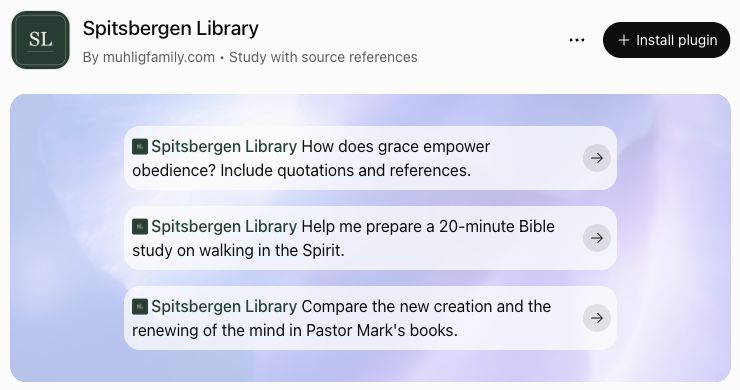
In a ChatGPT conversation, type @Spitsbergen in the message box. Choose Spitsbergen Library from the suggestions.
Select the suggestion so the library name appears in your message—not just as typed text.

Open + beside the message box and choose Spitsbergen Library. If needed, use the menu’s plugin search and type Spitsbergen.

With the library selected, type your question and send it. Ask for quotations and source links, then open the passages and keep asking follow-up questions.
Choose a ready-to-copy question ↓
How does grace empower obedience? Include quotations and source links.
Can’t find the library? Check that it’s installed in the ChatGPT account you’re using, then open a new conversation. Screens shown are from ChatGPT on the web; mobile menus may look a little different.
START WITH A GOOD QUESTION
Connect the plugin in ChatGPT, then copy a prompt below into your conversation.
Study a subject
Use Spitsbergen Library to explain how grace and obedience relate in Pastor Mark’s teaching. Include short quotations, Scripture references, and links to the sources. Distinguish your summary from his words.
Compare teachings
Use Spitsbergen Library to compare the new creation and the renewing of the mind. Explain how they relate, with attributed excerpts and source links. Identify anything the sources do not establish.
Prepare a message
Use Spitsbergen Library to help me prepare a 20-minute Bible study on walking in the Spirit. Include Scripture, short attributed quotations, source links, and discussion questions. Label the outline and applications as draft suggestions for my review.
TWO WAYS TO STUDY
Both help you explore the library with supporting sources. Choose the place that suits your study.
KEEP THE SOURCES IN VIEW
Ask for quotations and source links, and read the surrounding passage. AI summaries and proposed outlines are study aids; they are not new teaching from Pastor Mark. The plugin draws on the public library, not private manuscripts.